Server-only Code in Next.js App Router
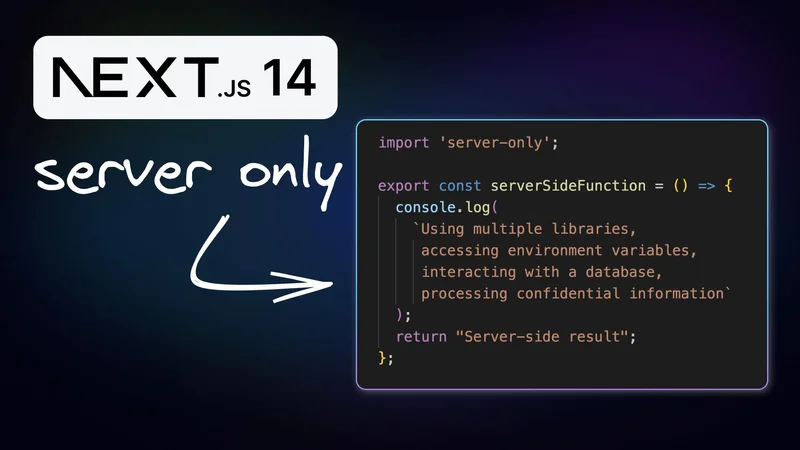
The React Server Components architecture which categorizes components into Client and Server types, was integrated with Next.js's App Router. When developing with the app router, distinguishing between server-only and client-side code is crucial for the application's security, performance, and maintainability. This blog post will cover defining server-only code in a Next.js application.
Server-only code in Next.js refers to code that is intended to be executed only on the server side. This might include modules or functions that:
- Use server-specific libraries.
- Access environment variables containing sensitive information.
- Interact with databases or external APIs.
- Process confidential business logic.
The challenge arises because JavaScript modules can be shared between server and client components, leading to the unintentional inclusion of server-side code in the client bundle. This inclusion can expose sensitive data, increase the bundle size, and lead to potential security vulnerabilities.
Let's walk through a hands-on example to demonstrate server-only code. Start by creating a Next.js application using create-next-app. Then, within a new src/utils directory that you create, add a file named server-utils.ts. This file will contain the following server-side function:
Imagine this function uses various NPM packages, accesses API keys, retrieves data from a database, and processes sensitive algorithms. Such a function should never be exposed to the client side.
Now, let's use this function in a server component, like an About page component:
Navigating to the /about route, you'll observe log messages in the server terminal, not in the browser, indicating that our code is server-only.
However, what if this function is mistakenly imported into a client component, such as a Dashboard page? The code might not work, either partially or completely. This is where the server-only package comes into play.
To safeguard our application, we install the server-only package:
We then modify our server-utils.ts to include this package:
Now, if someone tries to import serverSideFunction into a client component, the build process will throw an error, preventing the leak of server-side code to the client.
Just as server-only code needs isolation, client-only code that interacts with browser-specific features like the DOM, the window object, localStorage etc must also be confined to the client side to leverage browser-specific features effectively.
The client-only package serves as a guardrail, ensuring that our client-side code remains where it belongs.
Maintaining a clear boundary between server-only and client-side code is essential in Next.js applications. It ensures your application's integrity, security, and user experience. Use the server-only and client-only packages and follow best practices to reinforce this separation and safeguard your application.